Live Chat
Search

We Don’t Sell Diamonds. We Help You Choose the Right One.

Free expert guidance by email or video chat.

No pressure, No sales pitch. Just honest help from diamond experts.

Using Filters to Find a Great Natural Diamond

using filters to find a great natural diamond

By Josh Allen, Co-Founder — YourDiamondGuys.com Josh has over 25 years of experience in the global diamond trade, sourcing from Mumbai, Tel Aviv, and Antwerp, and has supplied diamonds to Tiffany, Cartier, Harry Winston, and more.

Natural diamonds do not get easier to buy just because the filter menu looks clean.

That is where people get trapped.

Too many options. Too many numbers. Too much paper.

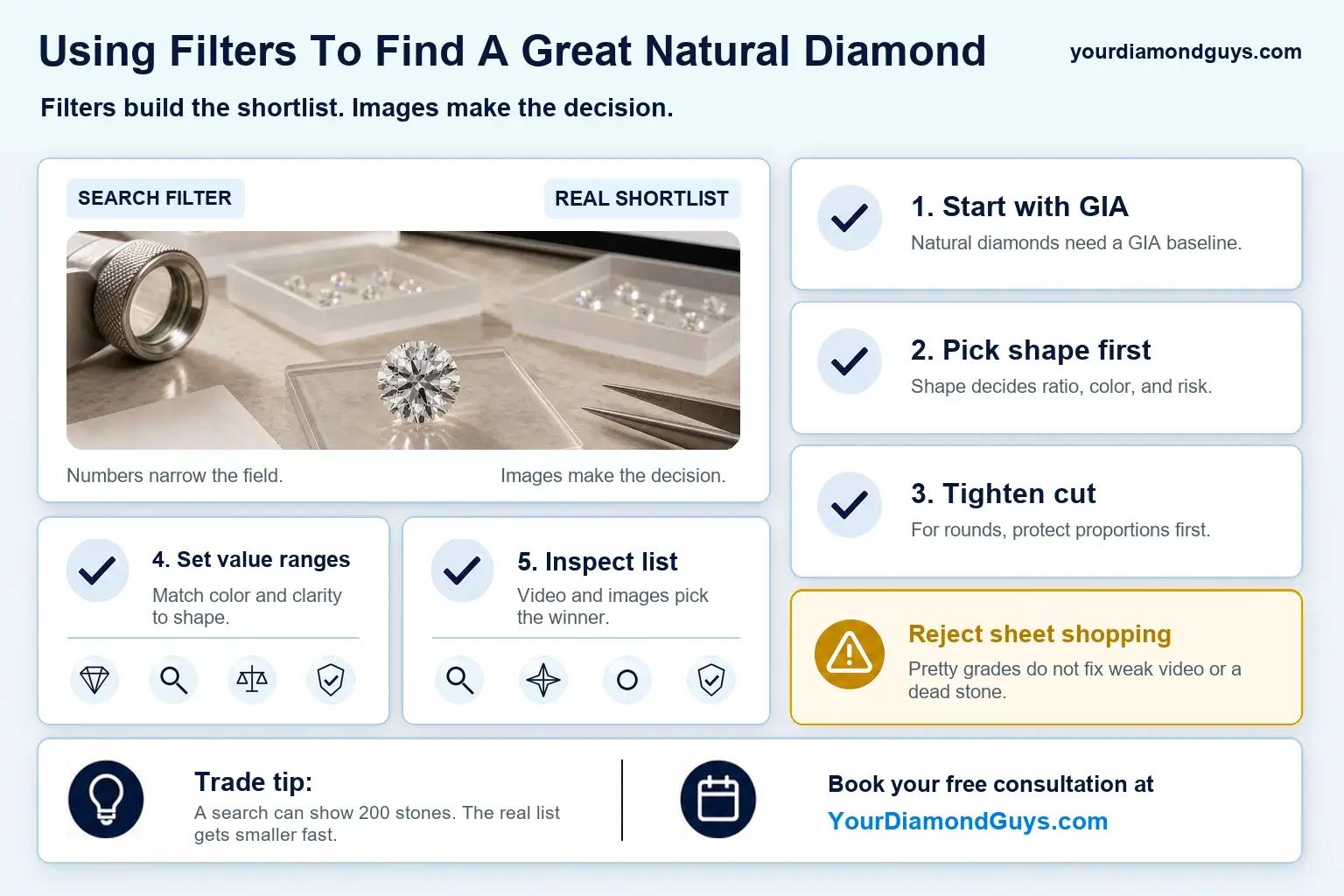
The fix is simple. Cut first. Then size. Then the details that actually help you narrow the list.

That is how you stop scrolling through 400 diamonds that were never worth your time.


Quick answer: the fastest filter order

Start here:

  1. Cut
  2. Carat
  3. Color and clarity
  4. Polish and symmetry
  5. Fluorescence
  6. Then sort by AI Score

That order works because cut decides whether the diamond has a chance to look alive. Everything after that is refinement.

The American Gem Society grading system uses a 0 to 10 scale, with 0 as the best grade, and presents cut as a primary grading factor alongside color, clarity, and carat weight.

That is the right mindset. Lock in performance first. Then tighten the list.


The 60-second filter stack

the 60-second filter stack visual selection

If inventory is deep, stay strict. If inventory is thin, loosen one step at a time.

Start here:

  1. Cut: best grade available
  2. Carat: tight band around your target
  3. Color: a range you are comfortable wearing
  4. Clarity: a range you are comfortable owning
  5. Polish and symmetry: top tiers first
  6. Fluorescence: conservative first pass

Do not loosen cut first. That is the mistake.

Loosen carat first. Then color or clarity. One move at a time.


What each filter is actually telling you

Most shoppers use filters without knowing what the labels really mean. That is how you end up trusting the menu instead of the stone.

The IGI glossary defines the core terms you see in most search filters, including cut, carat, color, clarity, polish, symmetry, and fluorescence.

That matters because filters only help when you know what they are filtering.


1) Start with cut

If you are shopping round diamonds, this is the first filter that matters. Not because the certificate says so. Because your eyes say so.

A diamond can have a clean clarity grade. A high color grade. A solid carat weight. And still look dead.

That is not a contradiction. That is cut.

According to GIA's round brilliant cut anatomy guide, crown angle can change a diamond's face-up appearance, and attractive brightness and fire depend on how crown angle, table percentage, and pavilion angle work together.

Same Excellent does not mean the same look. That is why you start here.

Filter rule: Use the best cut grade available. If you need more options, relax one step. Then go straight to video.


2) Set carat so the list stays calm

Carat is not the first filter. It is the control filter.

Set a tight band around your target. Enough to keep the list usable. Not so tight that you kill good options.

If you need more inventory, widen carat before you weaken cut. Always.


3) Filter color for how you actually wear jewelry

Color is personal. Some people spot warmth fast. Some do not.

So set the range for your eyes. Not somebody else's chart.

If warmth bothers you, stay tighter. If it does not, widen the range and protect cut.


4) Filter clarity for what you can see without zoom

This is where people overspend.

They buy the label. Not the look.

Your job is not to win the clarity contest. Your job is to avoid a diamond that shows something annoying in real life.

Set a clarity range you can live with. Then check the video.


5) Use polish and symmetry as finish guardrails

This is not where I would build the search. But it is where I would keep bad finish from sneaking through.

The CIBJO Diamond Blue Book lists polish and symmetry among the standard elements commonly included in diamond grading reports.

That is why they matter. Not because they guarantee beauty. Because they help you keep the finish clean on paper before you judge the stone in motion.

Start with top tiers. Relax only if the video still looks crisp.


6) Keep fluorescence simple

Do not treat fluorescence like an automatic no. Treat it like a review point.

Start conservative. Widen only if the media is honest. That means clear video. Real movement. No flattering nonsense.


Do not ignore the advanced filters

This is the section a lot of shoppers miss.

On many diamond search pages, the advanced filters are there, but they are almost hidden in plain sight. Most people never open them. That is a mistake.

Because once your main filters are set, advanced filters are where you can really hone things down and get more specific.

This is where you may see options like:

  1. Table %
  2. Depth %
  3. Crown angle
  4. Pavilion angle
  5. Length-to-width ratio
  6. Culet
  7. Girdle

You do not need to start here. But once you have a shortlist, these filters can help you remove diamonds that look fine on paper at the top level but fall apart when the proportions get more specific.

For round diamonds especially, table % and depth % can help you refine the search beyond the basic cut grade. That matters because two diamonds can both carry an Excellent cut grade and still perform differently.

Think of the advanced filters as your narrowing tools, not your starting tools.

Use the main filters first to control the list. Then use advanced filters to tighten the search further.

A simple way to use them:

  1. Start with cut, carat, color, clarity, finish, and fluorescence
  2. Open advanced filters only after the list is manageable
  3. Use table % and depth % to remove outliers
  4. Check crown and pavilion combinations if you want to get more precise
  5. Then go back to video and light performance

That is how advanced filters should be used. Not as a substitute for cut. As a way to make an already good search even sharper.


Then sort by AI Score

then sort by AI Score visual selection

Once your filters are set, sorting becomes the speed move.

That is when you stop browsing everything and start comparing something.

Here is the workflow:

  1. Apply your filters in the order above
  2. Use advanced filters if you want to tighten the shortlist further
  3. Sort by AI Score
  4. Save your top 10
  5. Watch each video slowly
  6. Cut it to 3
  7. Get a second set of eyes before you buy

That is how you find strong candidates fast. Not by pretending the first page is good.


A final trust check before checkout

Before you buy, make sure the listing claims, media, and report details are telling the same story.

The FTC Jewelry Guides are designed to help prevent deceptive representations about jewelry, including details such as weight, color, cut, and treatment.

If the numbers do not line up, trust that feeling. It usually means something in the make is soft.


Free Diamond Consultation

If your shortlist still feels too close to call, do not guess.

That is how people overpay for a stone that looked better on paper than it ever would in real life.

If you want a second set of expert eyes on your finalists, book a Free Diamond Consultation.


Questions? Reach out directly for a free consultation, or drop them in the Diamond Buyers Academy community — Rob and I answer personally.

Frequently Asked Questions

Cut first. Always. If the cut is weak, the rest of the filters are just organizing bad options.

Tighten carat first. Then narrow color or clarity based on what you notice most in video. If the list is still broad, open the advanced filters and use table % or depth % to remove weaker proportion sets.

Start with the top tiers. Relax only if inventory is thin and the diamond still looks sharp in motion.

Start conservative. Then widen only when the listing gives you clear video and the stone still looks bright.

Filter hard. Save a short list. Use the advanced filters to get more specific. Watch the videos slowly. Then get a real review before you spend the money.

*Some links on our site may earn us a small commission at NO EXTRA cost to you, helping us keep our content free*