Live Chat
Search

We Don’t Sell Diamonds. We Help You Choose the Right One.

Free expert guidance by email or video chat.

No pressure, No sales pitch. Just honest help from diamond experts.

How to Inspect Natural Diamonds in 360 Video

how to inspect natural diamonds in 360 video

By Josh Allen, Co-Founder — YourDiamondGuys.com Josh has over 25 years of experience in the global diamond trade, sourcing from Mumbai, Tel Aviv, and Antwerp, and has supplied diamonds to Tiffany, Cartier, Harry Winston, and more.

Natural diamonds can look great in one frame and still die the second the stone starts moving.

That is the trap.

One still can flatter a bad stone. A slow spin usually tells the truth.

That is why 360 video matters. Not because it replaces the report. Because it shows you what the report cannot.


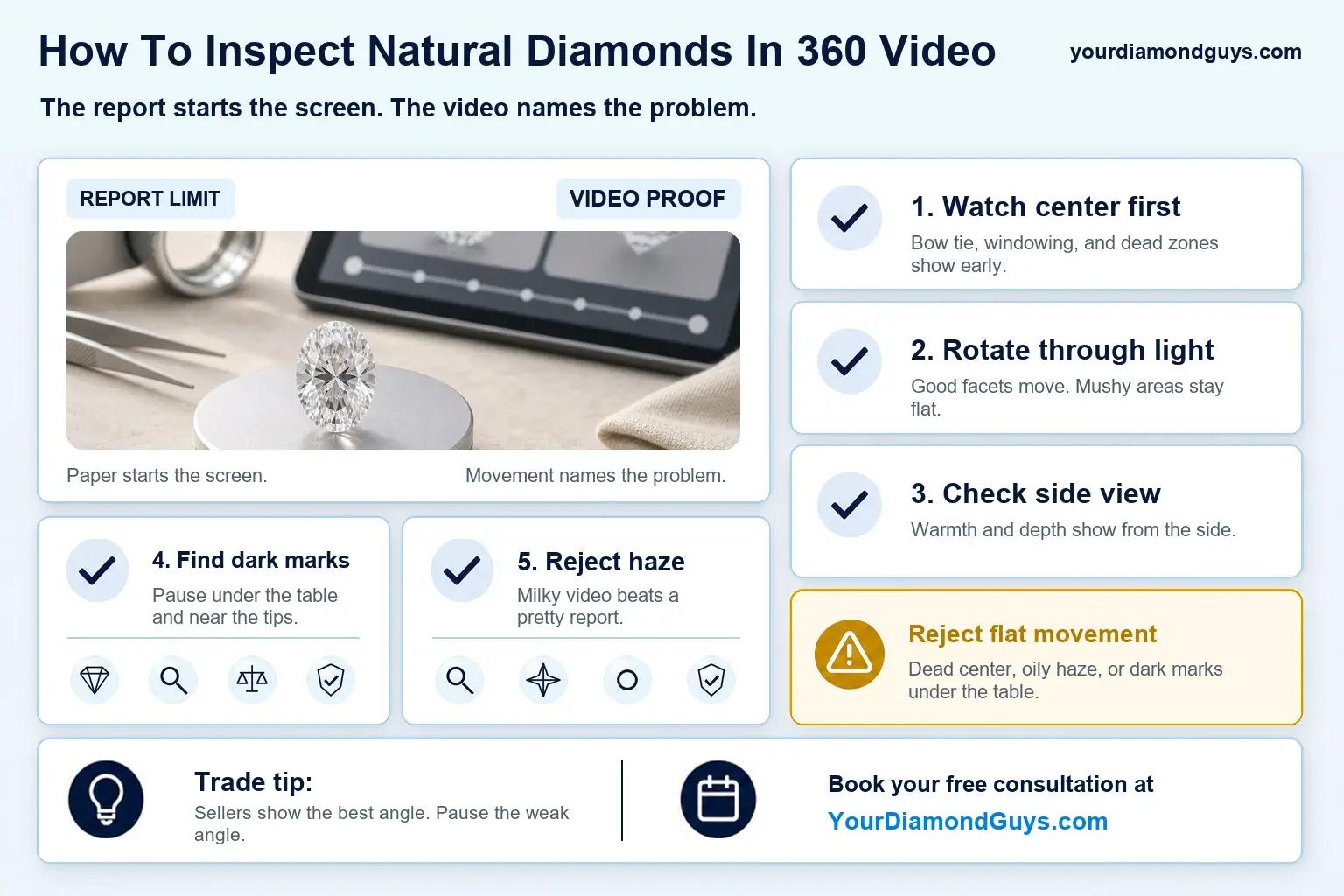
Quick answer: the 5-minute 360 routine

quick answer the 5-minute 360 routine visual selection

Use the same order every time:

  1. Face-up pause
  2. 45 degree tilt
  3. Profile pause
  4. Inclusion scan
  5. Haze check

You are checking five things:

  1. Even brightness
  2. Shape-specific light problems
  3. Edge damage or risky thin spots
  4. Fixed dark inclusions
  5. Overall crispness

If a diamond fails one of those badly, stop there.


The three pause points

1) Face-up: overall light and pattern

Start with the diamond sitting as close to face-up as the video allows.

You want balance. Bright areas. Clean contrast. No giant dead patch that refuses to wake up.

According to the American Gem Society, ASET images classify brightness, contrast, less-bright areas, and light leakage, which is why persistent dark zones in video are worth taking seriously.

Quick screen:

  1. Pass: bright overall, darkness shifts with movement
  2. Maybe: one darker patch shows up, then breaks apart
  3. Fail: large dark areas stay dark through most of the spin

2) The 45 degree tilt: bow ties and windowing

This is where fancy shapes usually tell on themselves.

For ovals, pears, and marquise cuts, the big issue is often the bow tie. According to GIA, the dark area seen across the width of oval-, pear-, and marquise-shaped diamonds can range from slight to thick, and some bow ties stay persistent while others brighten during motion.

That last part matters.

A mild bow tie that flashes is workable. A wide dark band that sits there is not.

For step cuts and some elongated stones, you are also watching for windowing. The International Gem Society describes windowing as light passing straight through a gem's center instead of reflecting back, which makes the center look lighter and kills flashes of light.

Quick test: Pause near face-up. Then watch the tilt. If the center goes watery or see-through for long stretches, move on.

3) Profile pause: damage, edge risk, and weird make

Now stop the video from the side.

You are not grading beauty here. You are looking for problems.

Chips. Cavities. Very thin edges. Anything that makes the stone look fragile or poorly finished.

The IGI glossary includes terms like chip, cavity, girdle, and polish, which are exactly the report words that help you connect what you are seeing in profile to what is written on paper.

If you see something in profile that the listing never mentioned, slow down. That is where buyers get hurt.


4) Inclusion scan: fixed mark or moving reflection?

Inclusions are normal. Reflections are normal too. Your job is telling them apart.

Use the fixed-mark test.

If a dark spot stays in the same place relative to the stone as it turns, treat it like a real inclusion. If it blinks, shifts, or disappears with the facet pattern, it may just be reflection.

According to GIA's inclusion guide, crystal, cloud, and grain center inclusions can appear inside a diamond, and grain centers may look white or dark.

Same clarity grade does not mean the same look. A dark crystal under the table is a different problem from a faint feature off to the side.


5) Haze check: crisp or sleepy?

This is the one shoppers miss.

A diamond can have decent numbers. Decent video. Decent paper. And still look sleepy.

You will usually see it in motion first. The contrast looks soft. The center never snaps into focus. The whole stone feels filmed over.

The CIBJO Diamond Blue Book notes that internal graining may or may not affect transparency, which is exactly why you should judge whether the stone stays crisp as it moves.

Quick haze screen:

  1. Foggy look at many angles
  2. Weak contrast
  3. No clean, sharp moment even face-up

That is usually enough reason to pass.


One-page cheat sheet by shape

ShapeMost common video issueWhat it looks likeQuick screen
RoundUneven patterndark zones that stay darkreject if large and persistent
OvalBow tiedark center bandaccept only if it flashes
PearBow tie and weak tipdark belly, weaker tipavoid a wide fixed band
MarquiseBow tie and dark endscenter band, dull tipsavoid persistent darkness
EmeraldWindowingwatery or see-through centerreject if it keeps happening
AsscherWindowing or dark blockshollow center feelreject if the center looks empty
RadiantMessy patterncrushed, busy lookaccept only if it still looks lively

Your shortlist flow: filters, video, then AI Score

your shortlist flow filters video then AI Score visual selection

Do not start with 50 diamonds. That is how bad stones sneak through.

Start with filters. Then use video. Then sort the survivors.

The workflow is simple:

  1. Filter to a manageable list
  2. Watch every 360 video the same way
  3. Save only the stones that stay bright and crisp
  4. Sort that smaller set by AI Score
  5. Narrow to three
  6. Get a second set of eyes

That is the fast way. And the safer way.


Free Diamond Consultation

If the numbers still do not add up, trust that feeling.

That usually means the stone looked better on paper than it does in motion. And that is exactly where people overpay.

If you want a second set of eyes on your finalists, book a Free Diamond Consultation.


Questions? Reach out directly for a free consultation, or drop them in the Diamond Buyers Academy community — Rob and I answer personally.

Frequently Asked Questions

Slow if you can. If not, pause more often. Face-up. Tilt. Profile. Same order every time.

No. A mild bow tie that flashes can be fine. A wide dark band that stays parked in the center is the problem.

Contrast changes with movement. Windowing looks watery or see-through and tends to stay obvious through the tilt.

Dark, fixed marks near the center are usually easiest to spot. If your eye keeps finding the same mark, assume it matters.

Watch the contrast. If the diamond never looks crisp in motion, keep shopping.

*Some links on our site may earn us a small commission at NO EXTRA cost to you, helping us keep our content free*